

iOS Share Extension
Last updated: 2026-08-19
The fastest way to save recipes. Use the iOS Share Sheet to import from Safari, social media, photos, and more — all without leaving the app you're in.
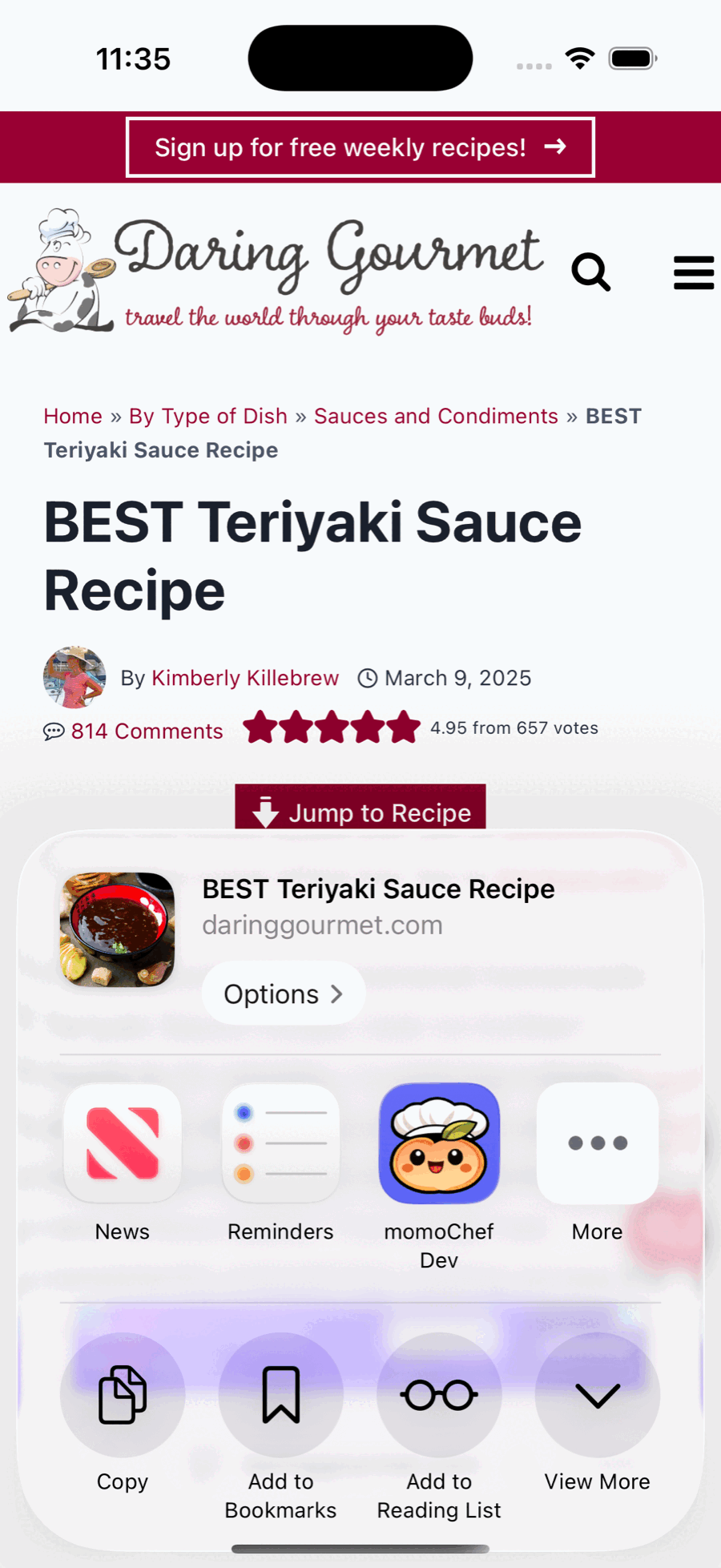
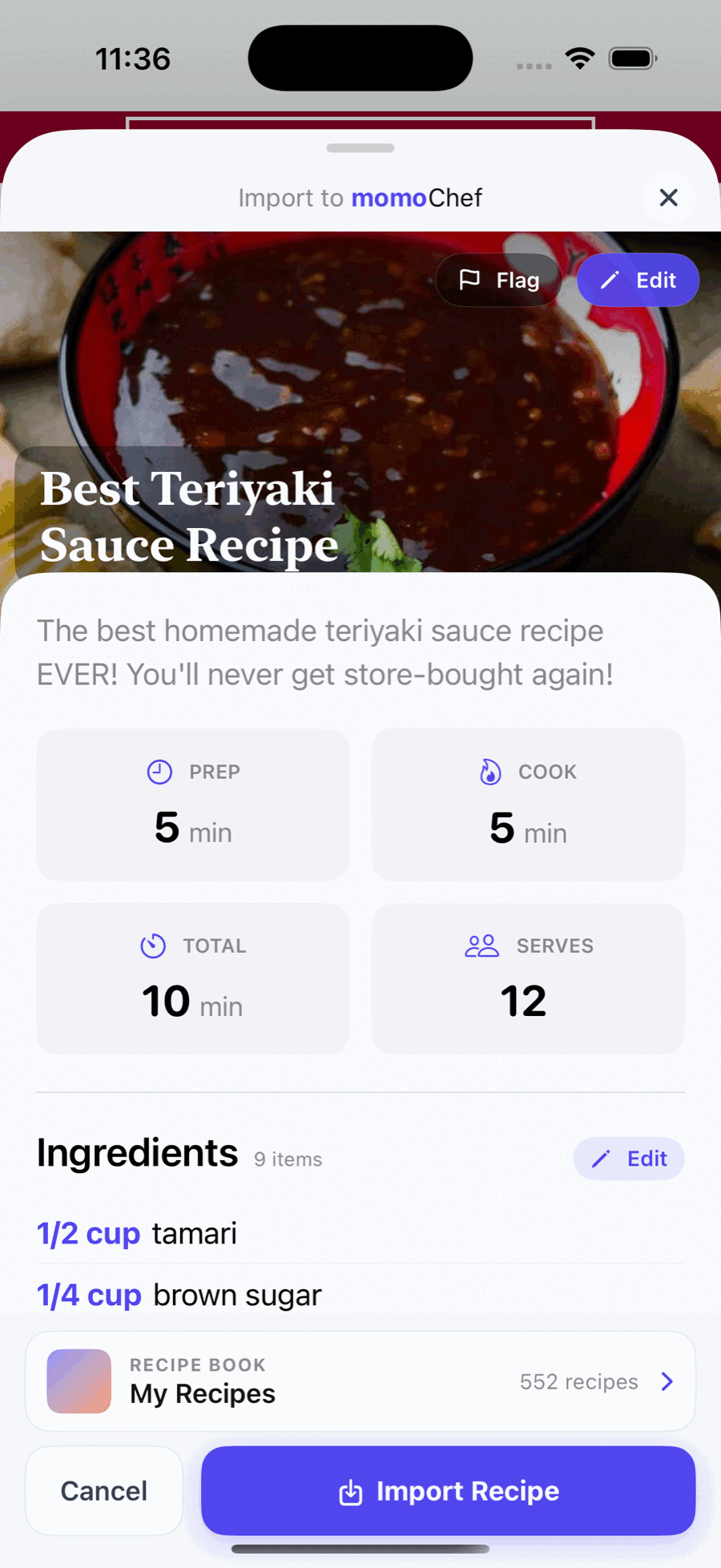
What is the Share Extension?
The Share Extension integrates momoChef directly into iOS's native Share Sheet. This means you can save recipes without ever leaving Safari, Instagram, Pinterest, or any other app. It's the fastest, most seamless way to build your recipe collection.
Features
One-Tap Saving
Save recipes from anywhere with a single tap.
- Browse Safari, Chrome, Pinterest, Instagram, TikTok — anywhere
- Tap Share, then tap momoChef — recipe imported automatically
- No need to copy/paste URLs
- Fastest way to build your recipe collection
Smart Detection
Automatically finds recipe content on any page.
- Detects recipes even on pages without structured data
- Works with food blogs, major recipe sites, and social media
- Preview before saving ensures accuracy
- Supports multiple languages
Photo Import (Premium)
Save recipes directly from your photos.
- Share photos from your camera roll to momoChef
- AI-powered OCR extracts recipe text
- Perfect for saving from cookbooks or magazines
- Edit and organize after importing
Quick Edit
Review and edit before saving.
- See parsed recipe before adding to your collection
- Choose which recipe book to save to
- Edit title, ingredients, or instructions
- Add tags or notes before saving
How to Use
- Open Share Sheet — In Safari or any app, tap the Share button (box with arrow pointing up)
- Find momoChef — Scroll through the row of apps and tap the momoChef app icon, or choose the "Import to momoChef" action — both do the same thing
- Review & Save — Preview the imported recipe, make edits, and tap "Save Recipe"
- Done! — Recipe is saved to your collection. Ready for meal planning or cooking.
Compatible Apps
- Safari — Save from any recipe website or blog
- Chrome — Full support with the share sheet
- Pinterest — Save recipes from your pins
- Instagram — Save from food posts or reels
- TikTok — Save recipes from cooking videos
- Photos — Import recipe photos with OCR
Pro Tips
Can't find momoChef in Share Sheet?
Tap Edit Actions or More at the bottom of the Share Sheet and add momoChef to your favorites.
Recipe not parsing correctly?
Use the photo import feature instead — snap a picture of the recipe and let AI extract it.
Want to save multiple recipes?
Save each one individually — they'll all go to your All Recipes book for organizing later.